
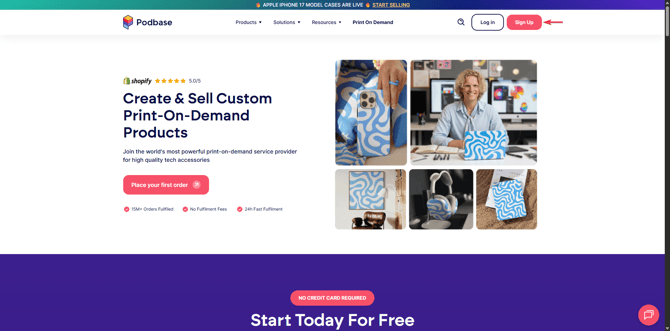
1. Create Your Account
-
Visit the Podbase website.
-
Click Sign Up and create your account using your email and a password.
-
Once logged in, you’ll be taken to your Podbase dashboard - your central hub for managing products, orders, and integrations.
New users get a 20EUR voucher when placing their first order! -> VOUCHER
2. Choose Your Products
Browse through Podbase’s catalog of customizable tech accessories, including:
-
Phone cases
-
Tablet cases
-
Screen protectors
-
Other tech-related products
Select the product you’d like to customize to begin building your catalog.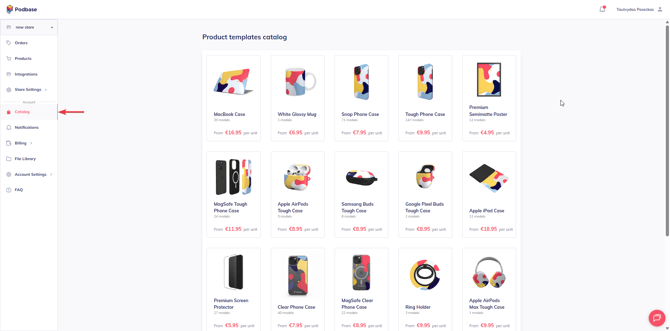
3. Prepare Your Design
To achieve the best print results, make sure your designs follow these guidelines:
-
File format: PNG recommended (supports transparency)
-
Resolution: 300 DPI for sharp, high-quality prints
-
Color space: sRGB
-
Templates: Use Podbase’s product templates to ensure your artwork fits correctly
-
Safe areas & bleed: Keep important elements within the safe area and extend backgrounds to the bleed line
Other useful FAQs for design preparation:
Phone Cases
Clear Phone Cases
AirPods
4. Create Your Products
Once your design is ready:
-
Open the Podbase product generator.
-
Upload your artwork.
-
Position, resize, or adjust the design using the built-in editor.
-
Preview the product mockups to ensure everything looks right.
-
Save your product to add it to your catalog.
5. Set Up Your Online Store
Podbase integrates seamlessly with popular e-commerce platforms:
- Shopify
- Etsy
- WooCommerce
- OpenAPI
To connect your store:
-
Go to the Integrations tab in your Podbase dashboard.
-
Select your platform.
-
Follow the prompts to link your account.
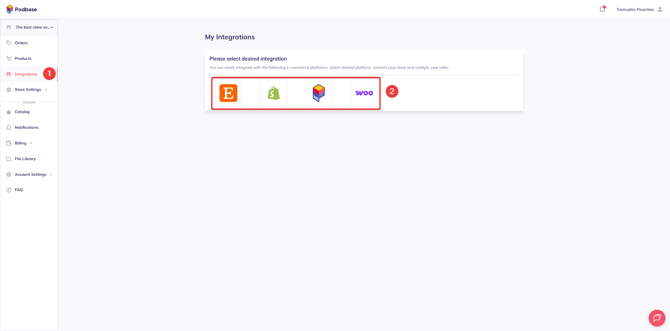
Please note that Podbase allows only 1 integration per Podbase store. Want to create more stores? Follow this FAQ -> Additional Stores
6. Publish and Start Selling
Once your products are created and your store is connected:
-
Sync your Podbase products to your online store.
-
Add titles, descriptions, and pricing (your profit is the difference between the retail price and Podbase’s base cost).
-
Publish your listings and launch your store.
When your store goes live, customers can start placing orders right away.
You can also place orders manually. Find out how here -> Manual Orders
7. How Orders Are Fulfilled
With Podbase, everything after the sale is automated:
-
A customer purchases a product from your store.
-
The order is automatically sent to Podbase.
-
Podbase prints, packs, and ships the product directly to your customer.
-
Tracking updates are shared with your store once the order ships.
8. Track Orders & Access Support
Order Tracking
Your Podbase dashboard provides real-time updates on:
-
Order status
-
Fulfillment progress
-
Shipping and tracking details
Customer Support
If you have questions or run into any issues, Reach out to our support team via live chat or support@podbase.com
You’re Ready to Start!
You now have everything you need to launch and grow your print-on-demand business with Podbase.