
Yes, Podbase does offer packaging inserts. Below is a step-by-step guide on how to create them and add them to your orders:
How to create a new packaging insert
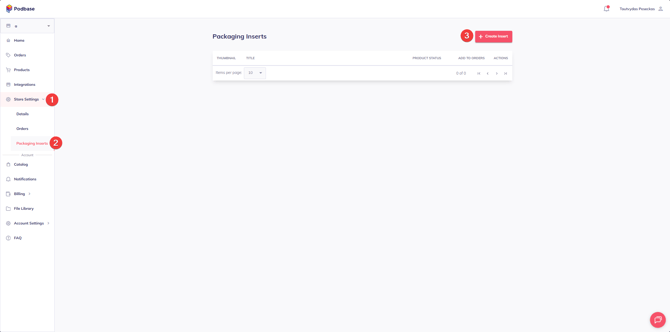
1. Go to your Store Settings and expand the menu.
2. Click Packaging inserts.
3. Click Create insert.
Once the product(s) are created, you'll see them in the Packaging Inserts tab
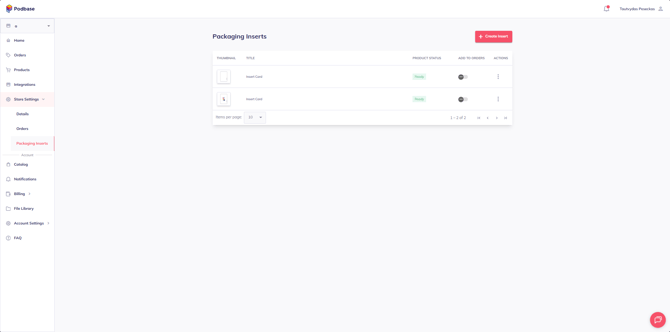
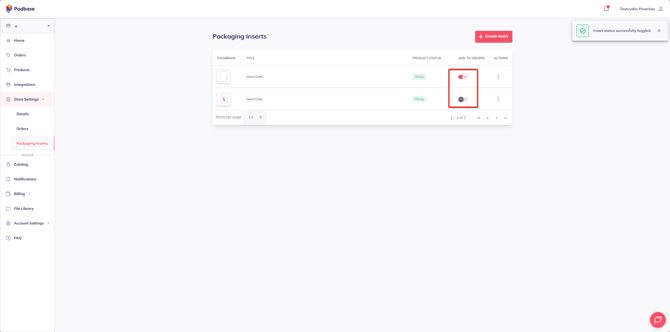
To enable the insert, simply click the button in Add to orders column
Important Information
- Only one packaging insert can be active at a time.
- Inserts are single-sided, so avoid using mirrored effects that could shift your design out of alignment.
- Once enabled, the insert will be automatically added to all new orders.